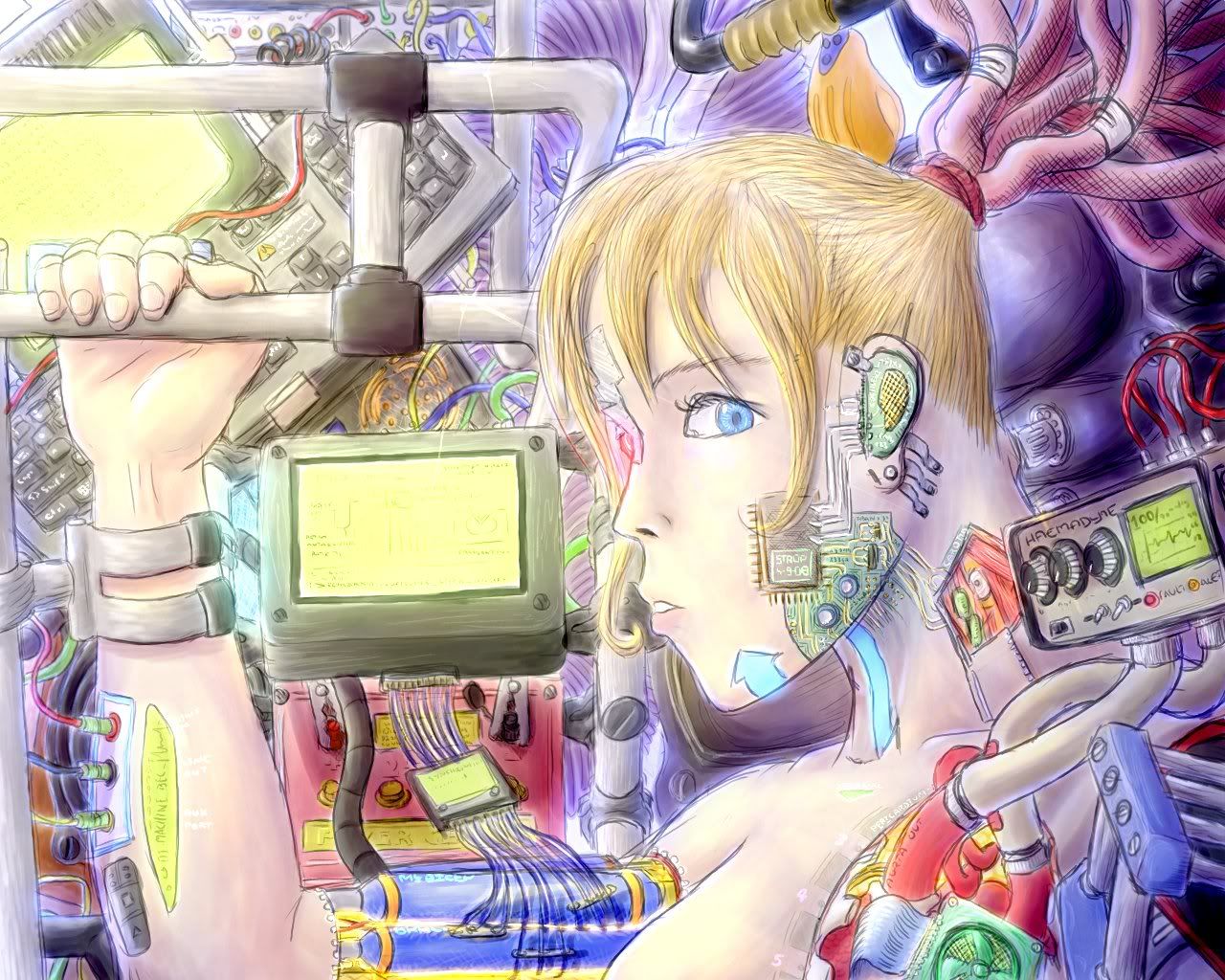
Right, so I pulled out of the previous GFX round due to not being able to finish on time. Since then I've been working on the image on-and-off and now it's finished only about a week late.
The picture shown below is half the size, the fullsize one can be found by clicking on the picture.
The full resolution pic (1280xs1024) is low quality...the high quality version is 1.1Mb and doesn't fit on photobucket xD Lame. Except I feel justified with the size...this was hand-drawn from start to finish.
I should have tidied up the sketchlines more, but wasn't actually intending to spend this much effort on it. Meh.
Yeah, sometimes a compliment can be misconstrued as an insult xD Like when somebody is so rapt about somebody else's work that they say "THERE IS LIEK NO WAI ANYBODY COULD DO BETTER EVAR!"
*stabs through heart* >:P
And why is this Strops temporary art journal?
Because I, uh...gee, that's a good question. I guess I only post things in here that don't fit in any of the other threads.
Some artists will use various things like texture brushes, rendering filters and automated scripts for their effects. At the moment I'm using an ascetic approach, only using circular brushes (hence my going stir-crazy with the layers) without any filters whatsoever. Hence it is "completely hand drawn".
Oh. I guess that's what I do too. 90% of the time.
And a random goodmorning to you, strawpony. :P
Because I, uh...gee, that's a good question. I guess I only post things in here that don't fit in any of the other threads.
Yep. Actually I wouldn't really know what you did the other 10% of the time. Smudge tool counts as hand-drawn, seeing as you could do the same with a piece of tissue (works better than a finger imo) :P
The last 10% is when I generate random images using different effects, patterns and skewing... Though, on a second thought, that's a lot less than 10%... Maybe 2-5%? But If you look back on my DA account you'll soon find examples...
Alright, Danstanta gave me an image and asked me to "make it look better". I realised I couldn't possibly fit an explanation for the process in the profile messenger, so I'm putting it here.
It started out like this:
This is a pretty nice image; it is well drawn. But I reckon Danstanta wanted the lighting effects and the glow, which is not really possible using flat colours.
Also, when looking at things from outer space, certain things are a bit blurry. So I cleaned up a couple of things in preparation:
Now, here comes the fun part. I work in many layers, adding a new one pretty much whenever I feel like it. This is because I employ different modes for different layers, mainly "addition", "multiply" and "subtract". I highly recommend that users of Photoshop and Gimp etc. try them out!
For now I will stick with adding addition layers. This is how it's done:
The next thing to do is to use different hues. Using one hue will tend to give you a flat look. Using different hues gives more shape and vibrancy as there's actual different colours for your eye to...differentiate.
So I look at a picture of Earth from far away, and I studied the shadow provided. Stands to reason there's going to be some refraction from the atmosphere, as well as some reflection from the ocean. And the ocean colour also varies! But I've kept the basic colour of the Earth the same as it was pretty.
Then I turned my attention to the stars. There are a couple of things to note:
* Starlight is made of different colours. And actually not usually yellow, but a spectrum of red and blue. Blue stars are brighter. Red stars are dimmer.
* Stars can be drawn many many different ways but drawing it as a flat dot will make the background look like a flat canvas.
So I decided to add in some light. In keeping with the piece I kept it yellow and put in a few more "addition" layers, and used a fuzzy brush.
And now for the fun part...the comet!
Again, same rule applies. Many hues, many layers. Gives a...you guessed it, layered effect!
There's like 4 or 5 layers in that. All this time think of the light, where it's going, where it came from.
And now I look at this and think is that all I should do with it? Are there any changes I should make? I have plenty of ways to make changes as I've got many layers and can easily change one bit without ruining another.
I'll leave you to figure out what I did after the last pic.
Total time: 20-30 minutes. But then again, I am using a tablet.